A FIELD GUIDE FOR SPATIAL BUILDERS
Build
for SPECS.
From Lens Studio to CLAD.
Spatial AR, built with AI.
A FIELD GUIDE FOR SPATIAL BUILDERS
From Lens Studio to CLAD.
Spatial AR, built with AI.
WHERE DOES SPECS SIT?
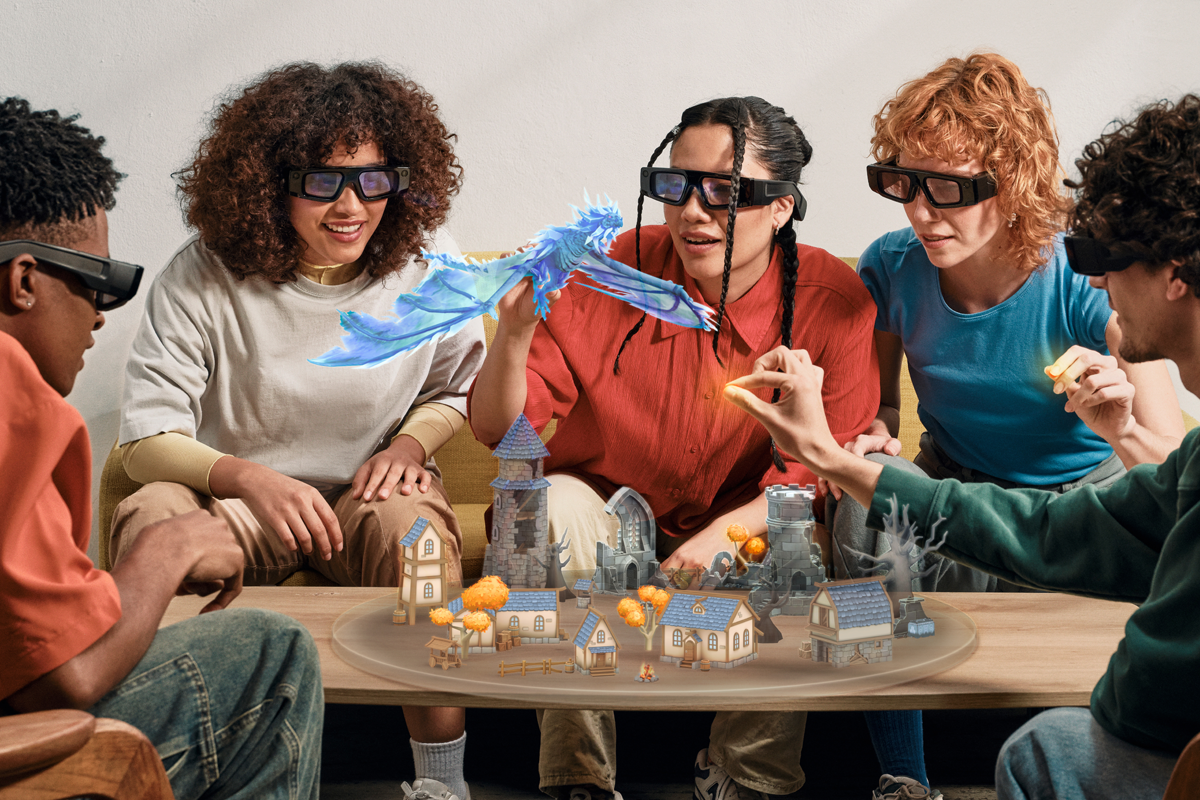
XR is a spectrum of ways to blend computation with the physical world. SPECS and Spectacles sit in Optical See-Through Augmented Reality, anchoring digital objects directly into your stereoscopic field of view with natural hand interaction.
Digital information and interactive 3D assets are anchored into real space with 6DoF stereoscopic depth, hand tracking, and optical see-through waveguides.
UNDERSTANDING THE ECOSYSTEM
Snap's spatial hardware journey spans two distinct milestones: the developer-focused Spectacles Gen 5 kit, and the upcoming consumer-ready SPECS with AI-powered CLAD workflows.
Dual see-through optical waveguides, 6DoF hand tracking, Snap OS. Designed for consumer spatial computing and agentic development.
The standalone developer hardware that established the Snap OS foundation, perfect for testing core spatial interactions.
PIPELINE ARCHITECTURE
Whether you leverage AI agents with CLAD or write TypeScript by hand, both workflows build upon the exact same 3D scene graphs, asset formats, and SIK hand gestures.
NATURAL SPATIAL VOCABULARY
Snap OS and SIK eliminate physical controllers. Users interact with floating 3D objects using standardized hand micro-gestures.
CLOSED LOOP AGENTIC DEVELOPMENT
Developing for SPECS with CLAD is optional (you can always write code manually in Lens Studio), but highly recommended. It acts as an intelligent co-creator that turns multi-hour 3D node setup and shader crafting into fast prompt iterations.
AI builds autonomously end-to-end. A single high-level prompt is sufficient for the agent to assemble a complete interactive Lens.
AI executes continuous cycles: Design → Code → Build → Test → Fix until all evaluation suites pass without human intervention.
Decomposes spatial tasks into specialized toolkits for 3D Scene Graphs, TypeScript, SIK gestures, Shaders, and Spatial Audio.
Full pairing co-developer. From procedural GLSL materials to spatial physics and musical feedback, CLAD handles the pipeline.
SYSTEM TOPOLOGY & AUTOMATED QA
The Model Context Protocol (MCP) connects frontier AI models to the Lens Studio v5.22+ runtime, while LEAF headlessly simulates hand pinches to catch bugs and self-heal scripts before you test on glasses.
import { describe, test, expect } from '@specs/leaf';
import { SIKSimulator } from '@specs/sik-test';
describe('Solar Planet Interaction', () => {
test('Pinching Earth spawns orbit ring', async () => {
const earth = Scene.findObjectByName('EarthMesh');
await SIKSimulator.simulatePinch(earth);
const orbitEffect = Scene.findObjectByName('OrbitVFX');
expect(orbitEffect.enabled).toBe(true);
expect(earth.getTransform().getWorldScale().x).toBeGreaterThan(1.2);
});
});
THE HANDOFF
A great spatial experience starts with a clear idea, an intuitive hand gesture, and a fast development loop. Now open the codelab and build your first lens.
INTERACTIVE CIRCUIT VISUALIZER
Inspect how a single natural language prompt routes through the MCP server, builds scene nodes in Lens Studio v5.22+, runs LEAF tests, and pushes to SPECS.
Explore battle-tested prompt blueprints covering SIK hand tracking, Multimodal Vision AI, and procedural shaders.
BATTLE-TESTED SINGLE-SHOT PROMPTS
Copy-paste prompts optimized for Claude Code, Cursor, and Codex to generate hand tracking, vision AI, and shaders.
Replay the conceptual presentation deck or dive back into the hands-on codelab anytime.
You've completed the spatial fundamentals. Let's inspect how natural language prompts execute end-to-end through the CLAD circuit architecture.